





Finmetrx · AI finance platform
Everyone got
the same dashboard.
I redesigned Finmetrx so each person lands on a dashboard made for their role. I also designed the AI agents, the Fintelligent assistant, the cashflow manager, the financial dashboard and a design system.
- Role Product Designer
- Timeline Sep 2025 – Feb 2026
- Platform Web
The problem
One screen tried to serve every role.
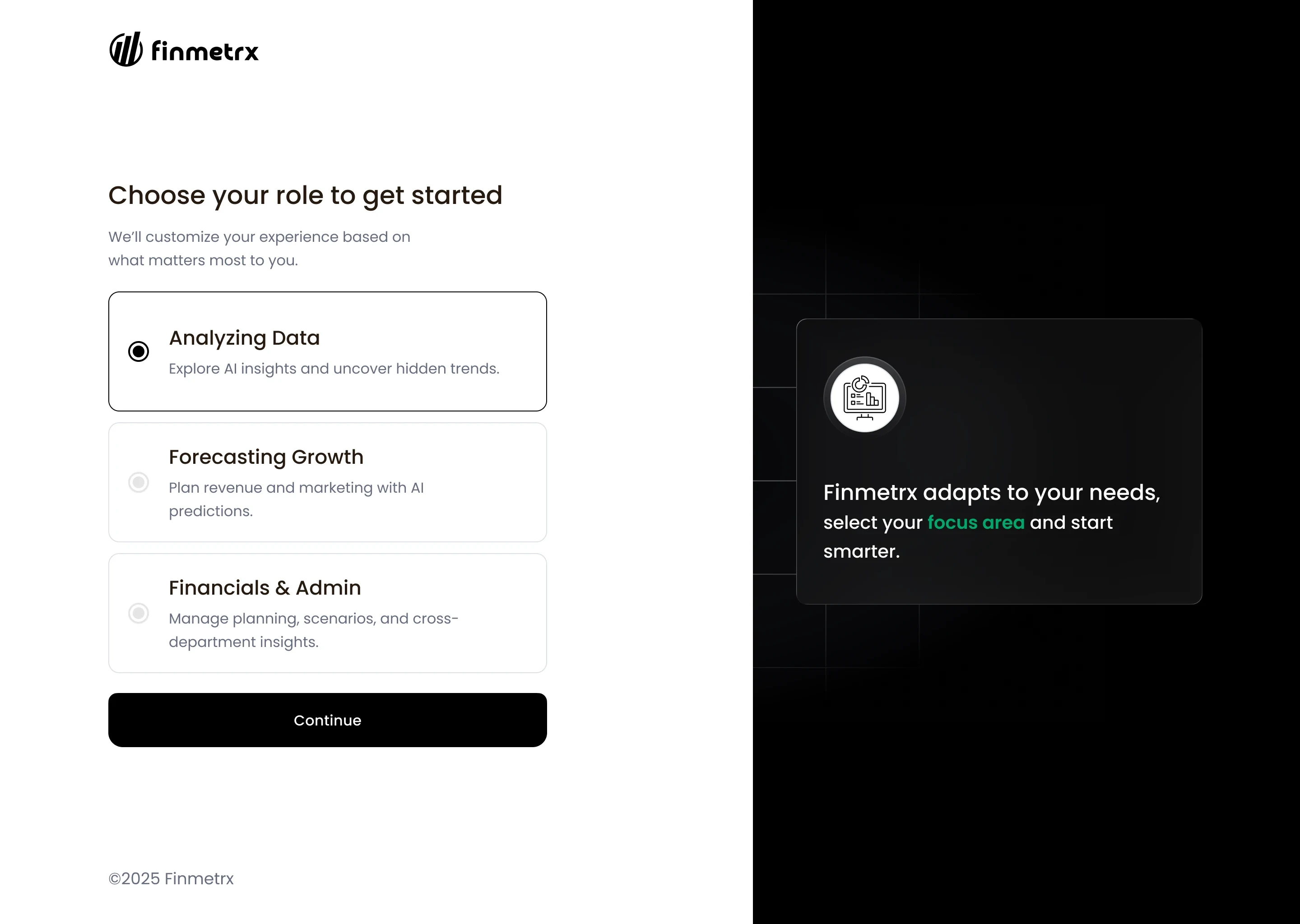
A sign-up button led to a short form, and then to one dashboard for everyone. Analysts, people forecasting growth, and finance and admin owners all saw the same components. There was no way to hide what they did not need.
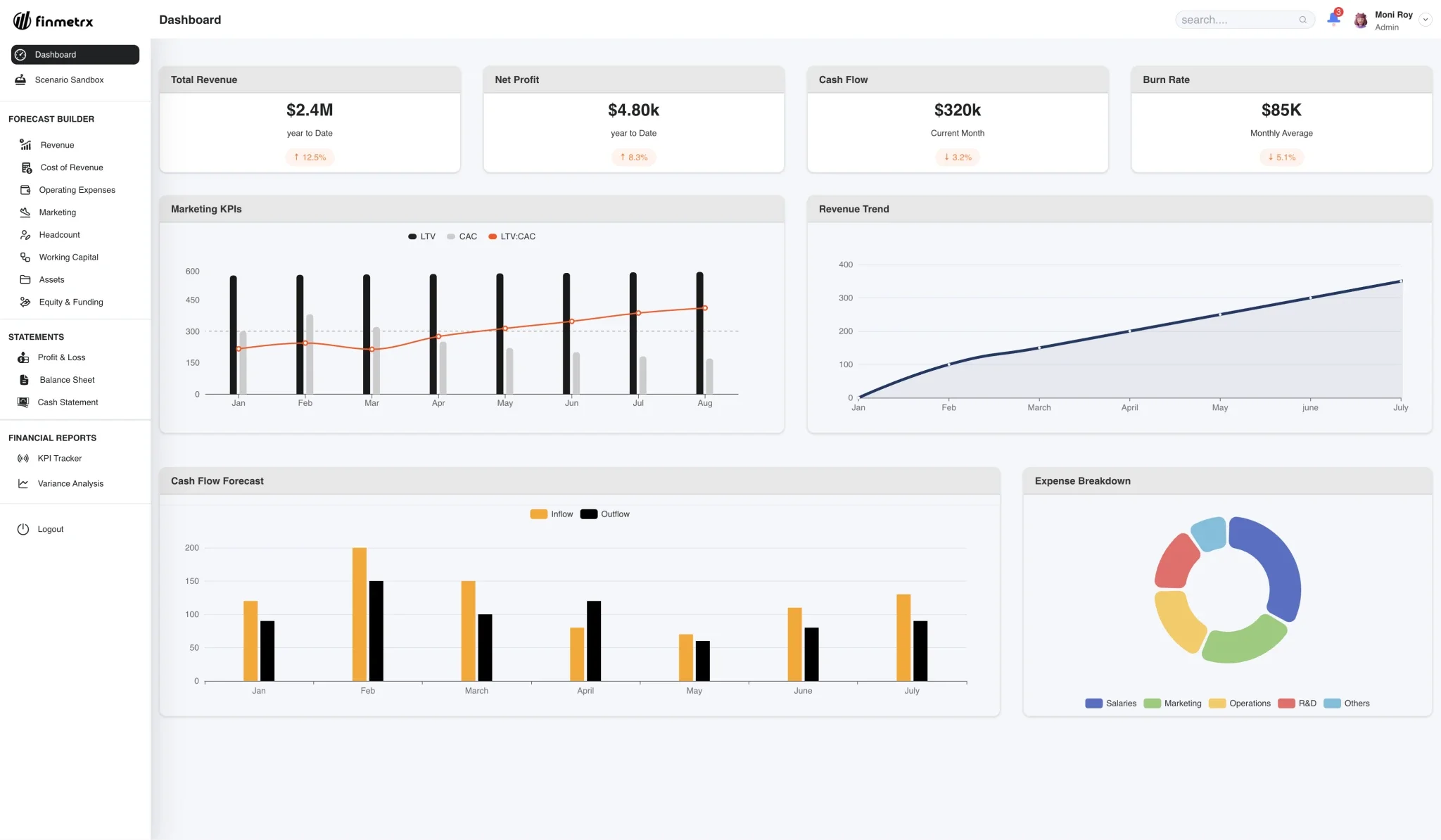
- 01Same menu for every role
- 02Same KPI cards for every role
- 03Same charts for every role
Research
How others show it.
Before drawing anything I looked at how Triple Whale, LiveFlow, Abacum and Runway handle reporting, dashboards and AI analysis. The work followed one rule:
- 01

- 02

- 03

- 04

The financial workflows must work on their own. AI supports them.
What I found
| Product | What I saw | Compare with Finmetrx |
|---|---|---|
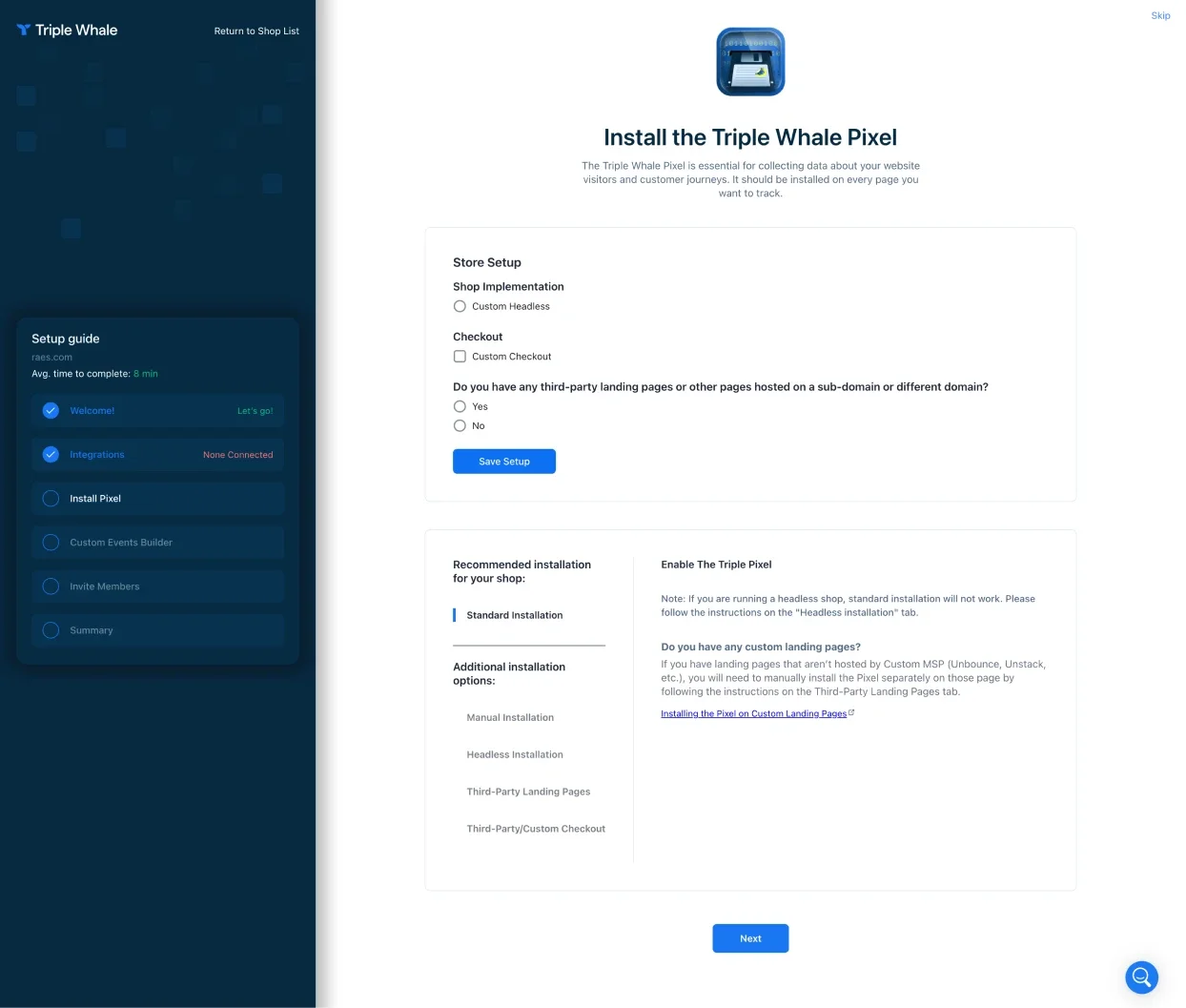
| Triple Whale | Setup is a checklist with an average time (8 min). The Integrations step says “None Connected”. | Agent cards show setup time (2 to 5 min). The requirements panel shows what is connected and what is missing before an agent starts. |
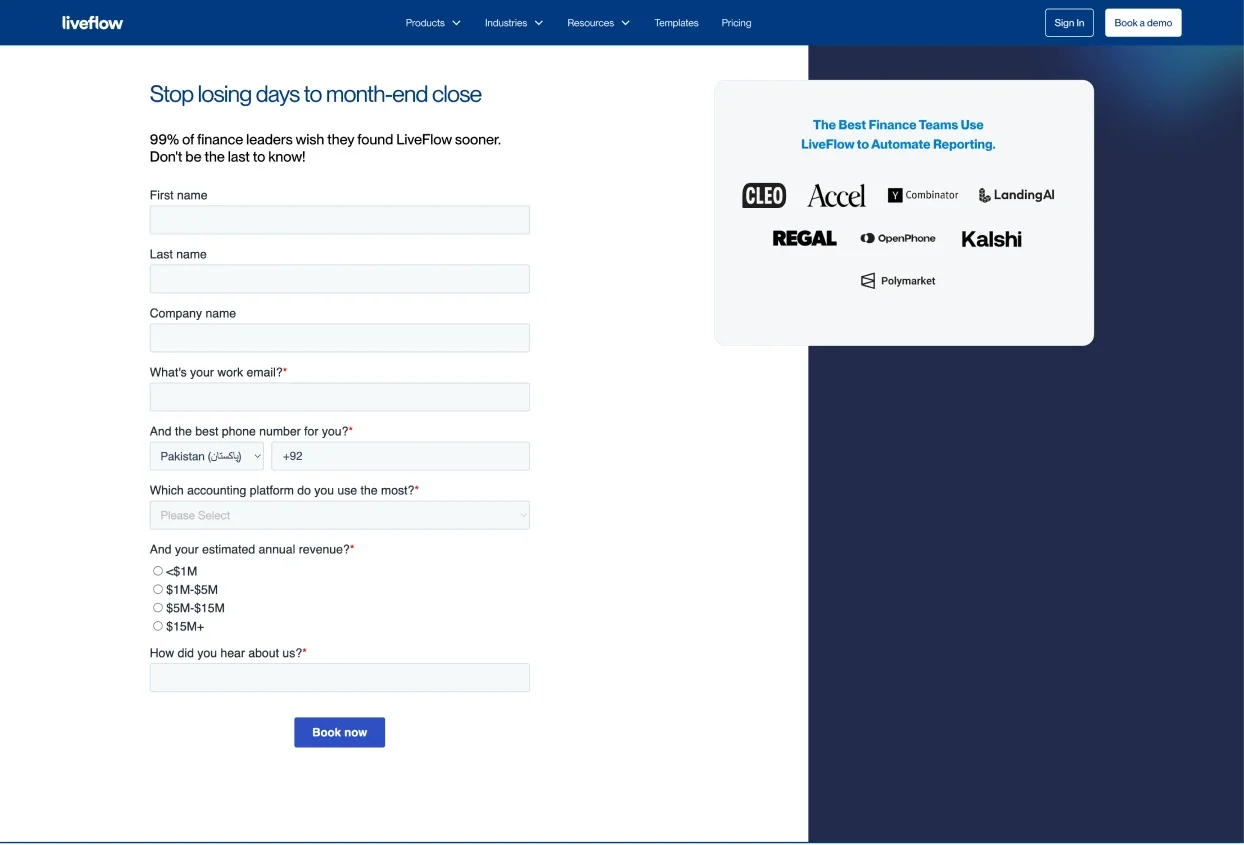
| LiveFlow | A long book-a-demo form stands between a visitor and the product. | Sign-up asks one question and opens a dashboard for that role. |
| Abacum | Demo request first. The product itself is dense charts and tables. | Role dashboards show only the components that role needs. |
| Runway | KPIs on top, a roadmap and scenario tables below. AI is an Analyze button next to the data. | Agents analyse and suggest. The person approves every financial action. |
The screens behind it
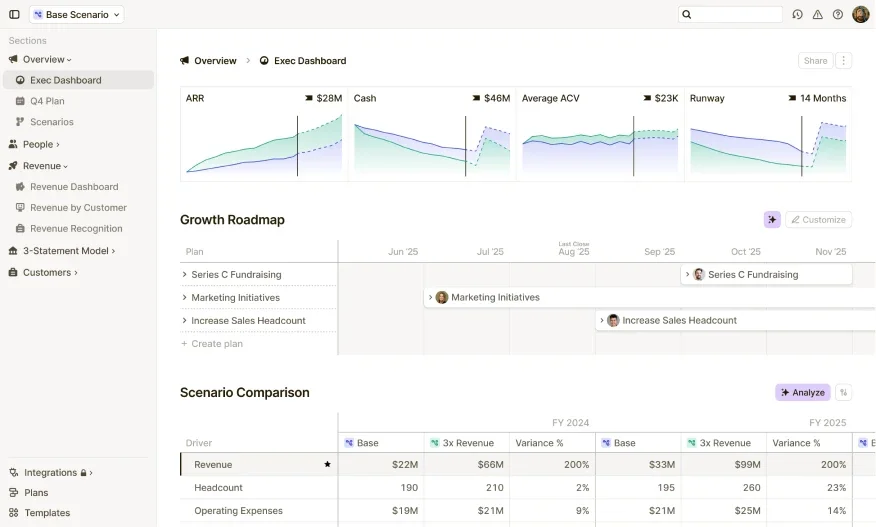
Requirements
What the product had to do.
- 01Show each role only what it needs.
- 02Let a user connect data and see what is connected and what is missing before an agent starts.
- 03Let AI analyse and suggest, while the person approves every financial action.
- 04Answer general questions in one place and hand specific ones to the right agent.
- 05Tie each cashflow alert to a recommended action.
- 06Let a user ask about the number they are looking at, from the number itself.
- 07Work on desktop and tablet.
How it works
How the product works.
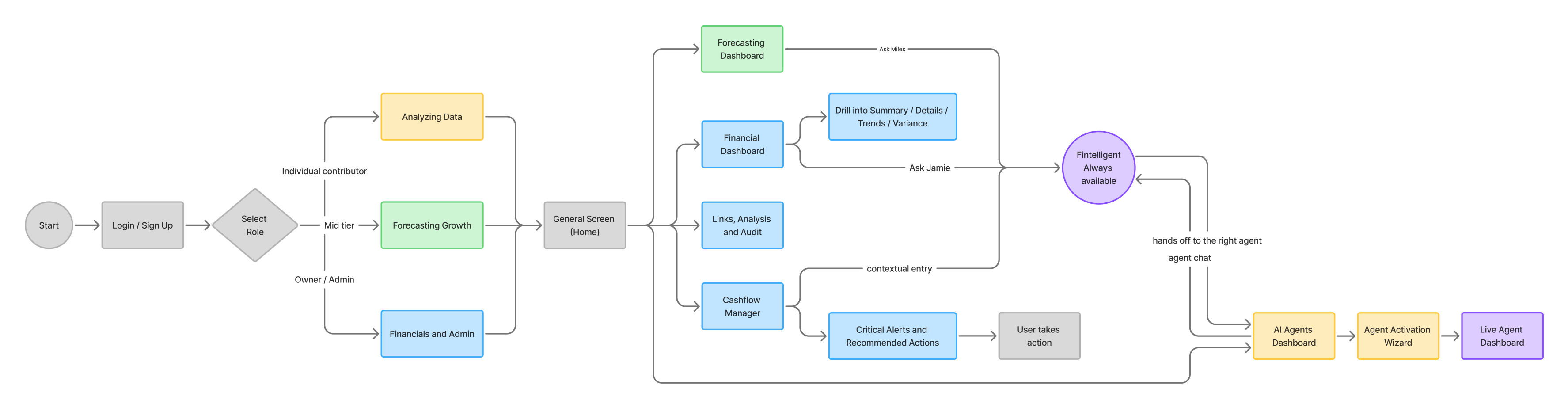
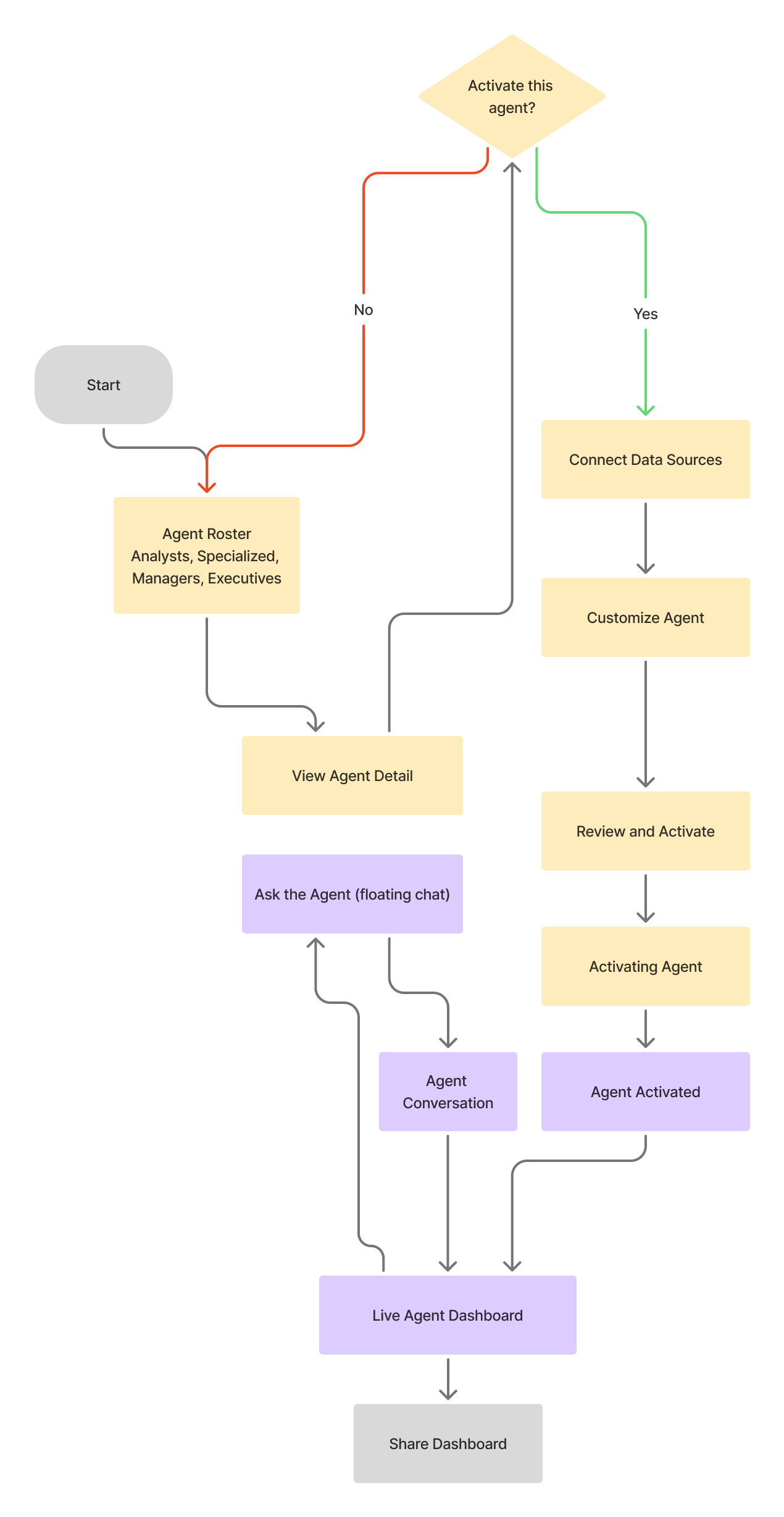
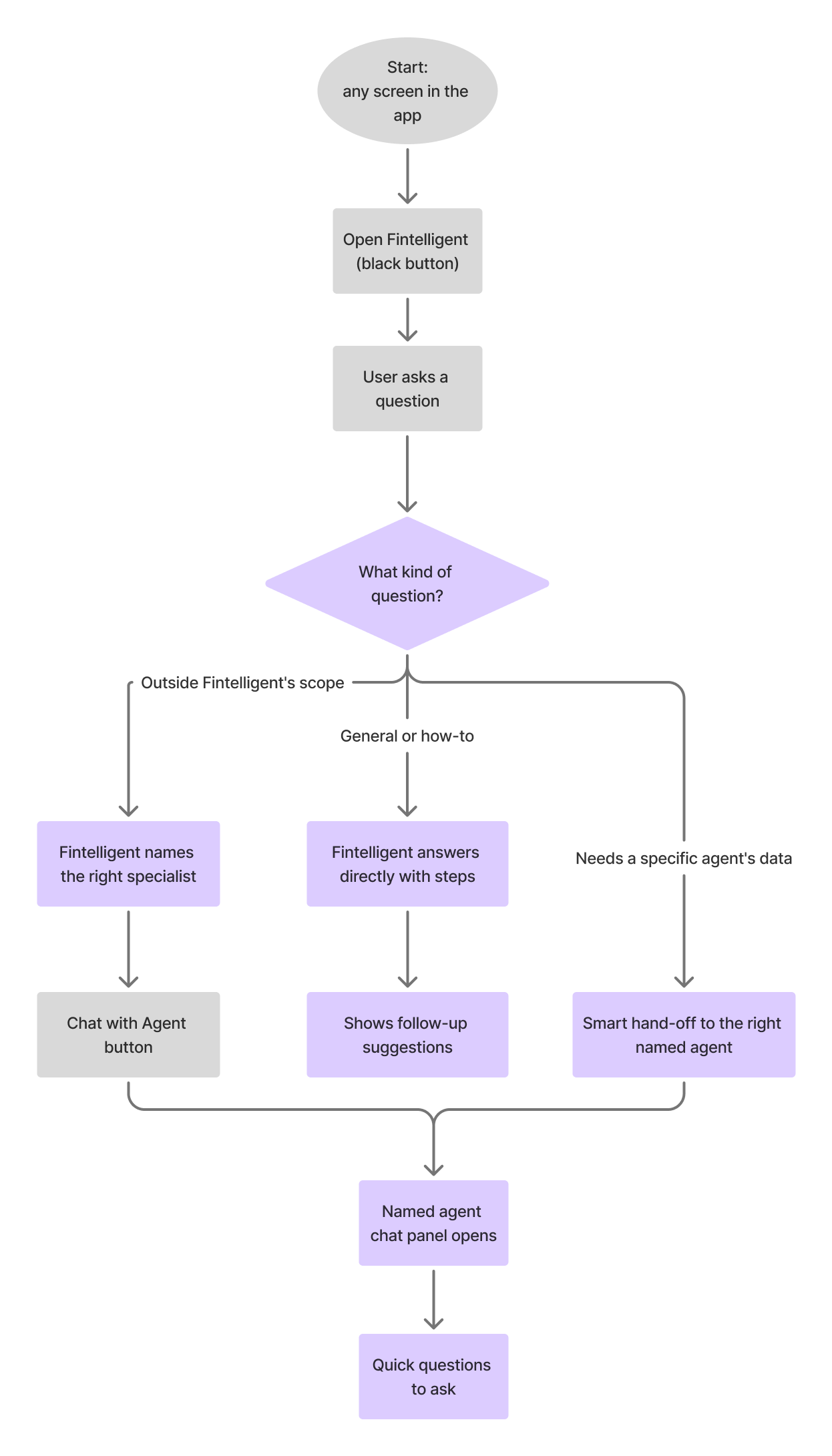
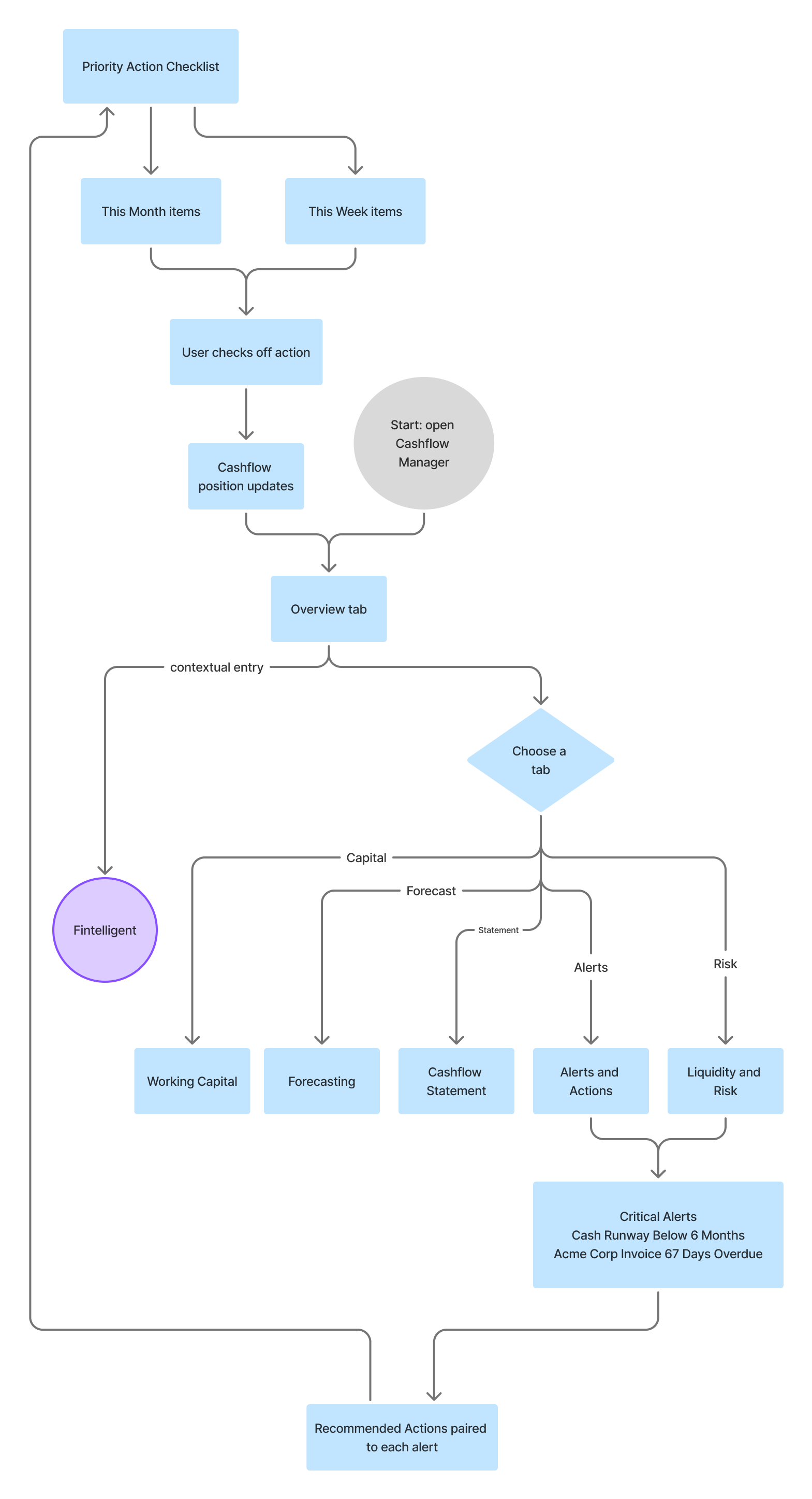
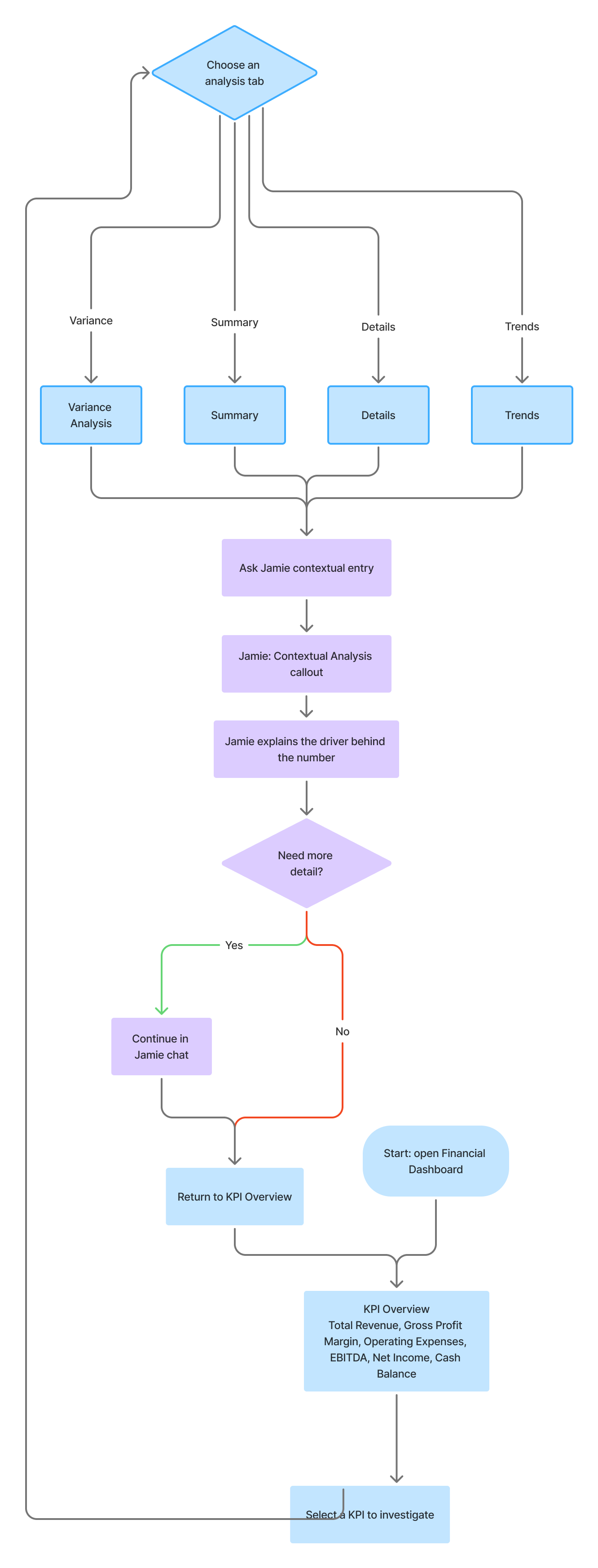
Before any screen, I drew how people move through the product. One complete flow shows the path from sign-up to the first useful screen. Four smaller flows show the details: agents, Fintelligent, cashflow and the financial dashboard.
The walkthrough
Follow one person through the product.
One question,
three dashboards.
Sign-up asks one thing: why are you here? Analyzing data, Forecasting growth, or Financials and admin. Each answer opens a dashboard built for that role.
- 1Role decides the dashboard
- 2Each role sees only what it needs
Ruled outOne shared dashboard with filters, instead of a role at sign-up. People would still have to work out what mattered to them, which was the original problem.
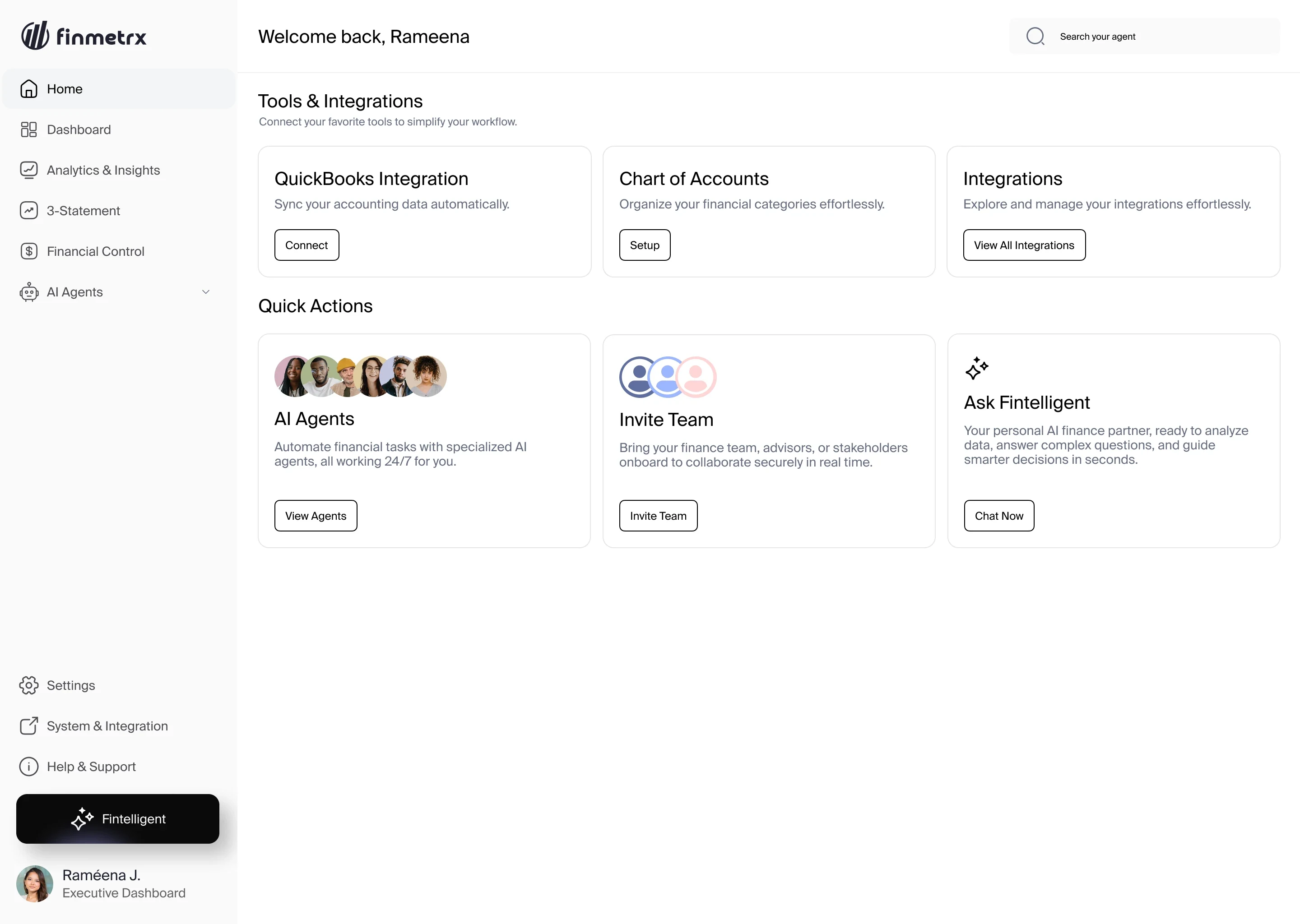
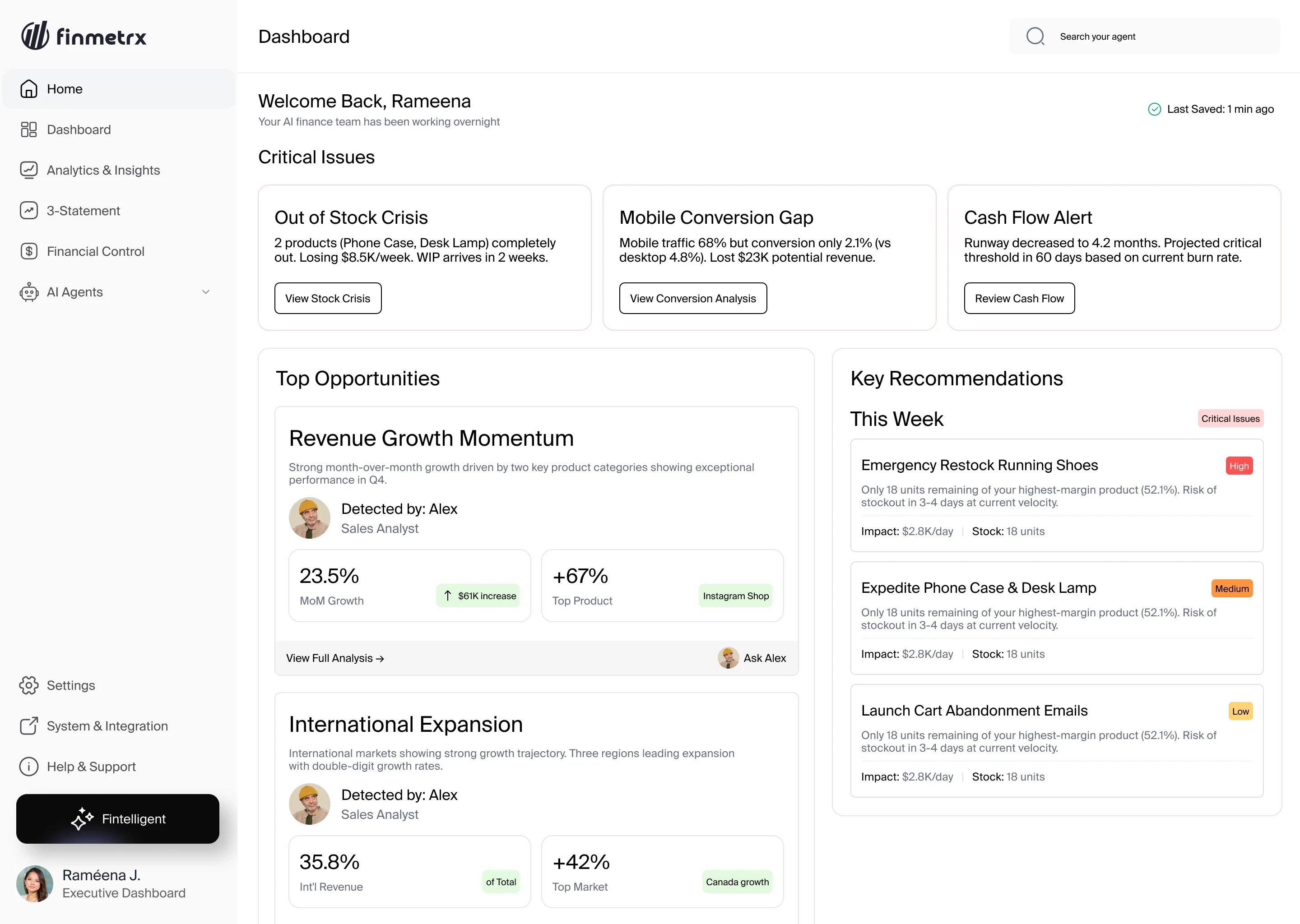
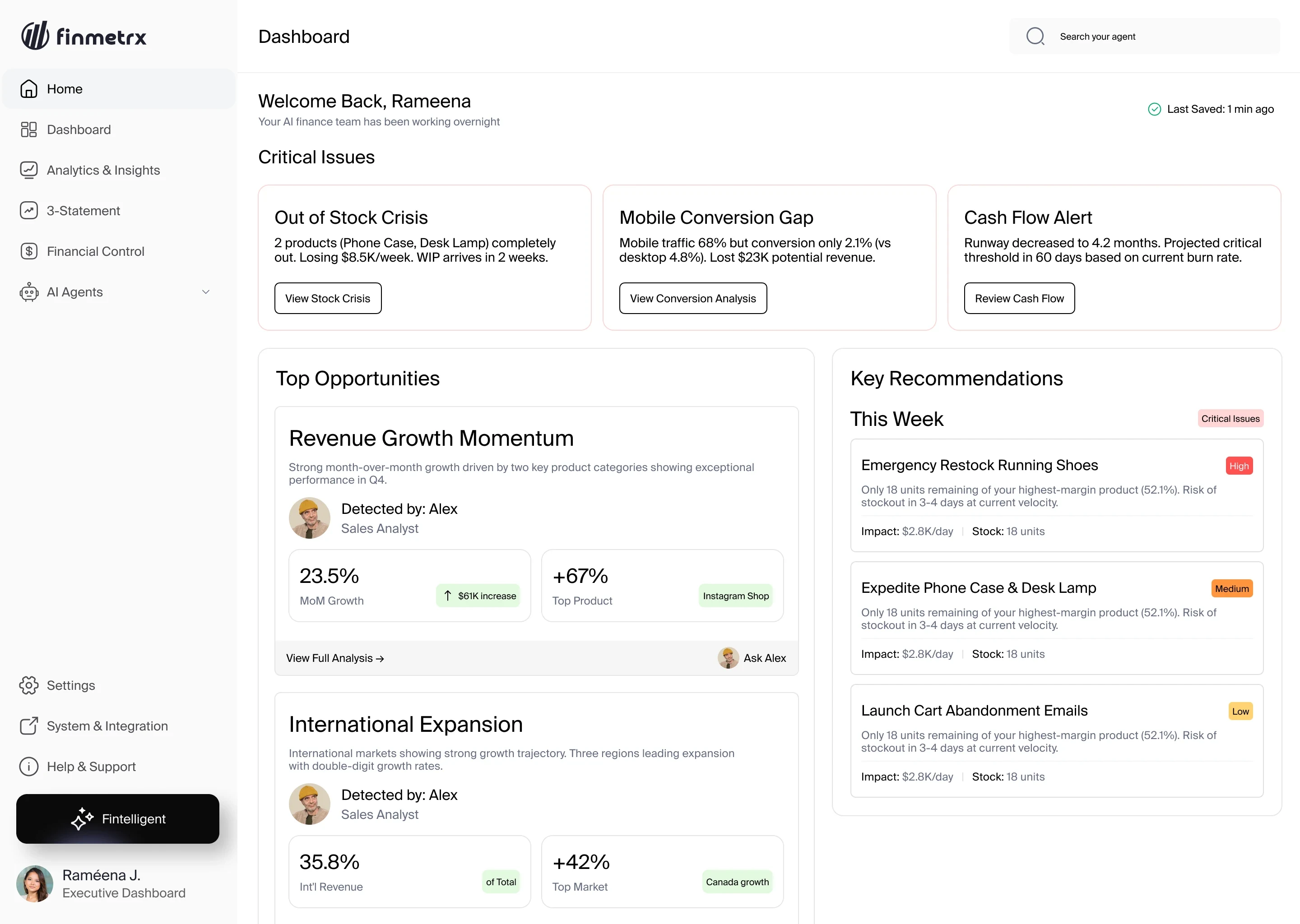
The three home screens. The role chosen at sign-up decides which one opens.
Specialist agents,
not one assistant.
The AI is split into specialist agents. Each card shows what the agent is, how long setup takes (2 to 5 minutes) and whether it still needs a data source.
- 1Four groups, named agents
- 2Setup time on every card
- 3“Data source required” shown up front
Ruled outOne general AI assistant, instead of specialist agents. One assistant can’t show what data each kind of answer depends on.
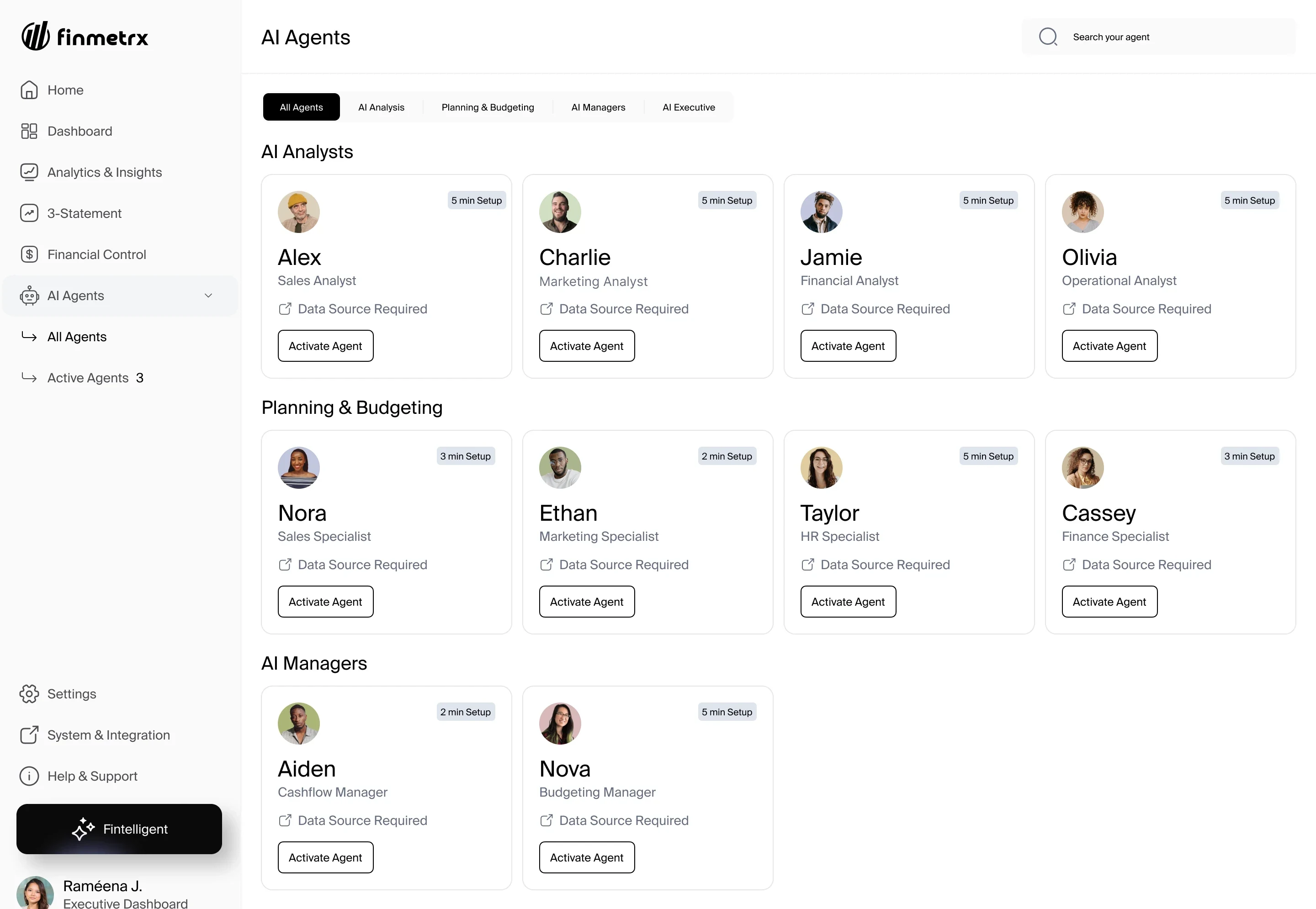
The AI Agents roster: analysts, planning and budgeting agents, and managers, each with a setup time and a data-source requirement.
See what is missing
before setup.
A requirements panel shows what each agent needs, what is connected and what is missing, before anything starts.
- 1What the agent needs
- 2What is already connected
- 3What is still missing
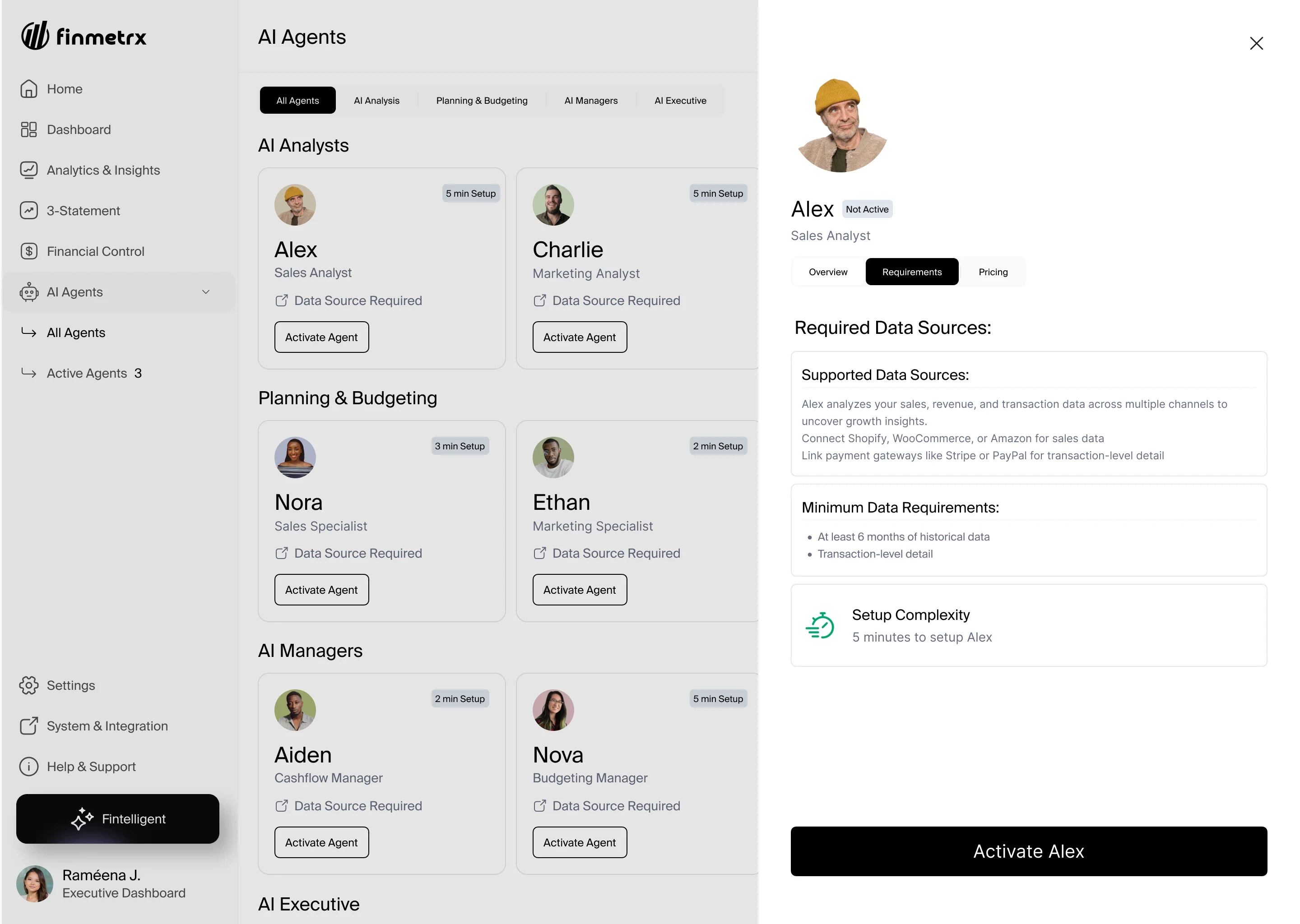
The requirements panel for the Sales Analyst.
Analysis,
not authority.
Agents analyse and suggest. The user approves every financial action.
- 1Setup summary before activation
- 2Person approves, then it runs
Ruled outLetting agents act automatically. One wrong action could cost more than it saves.
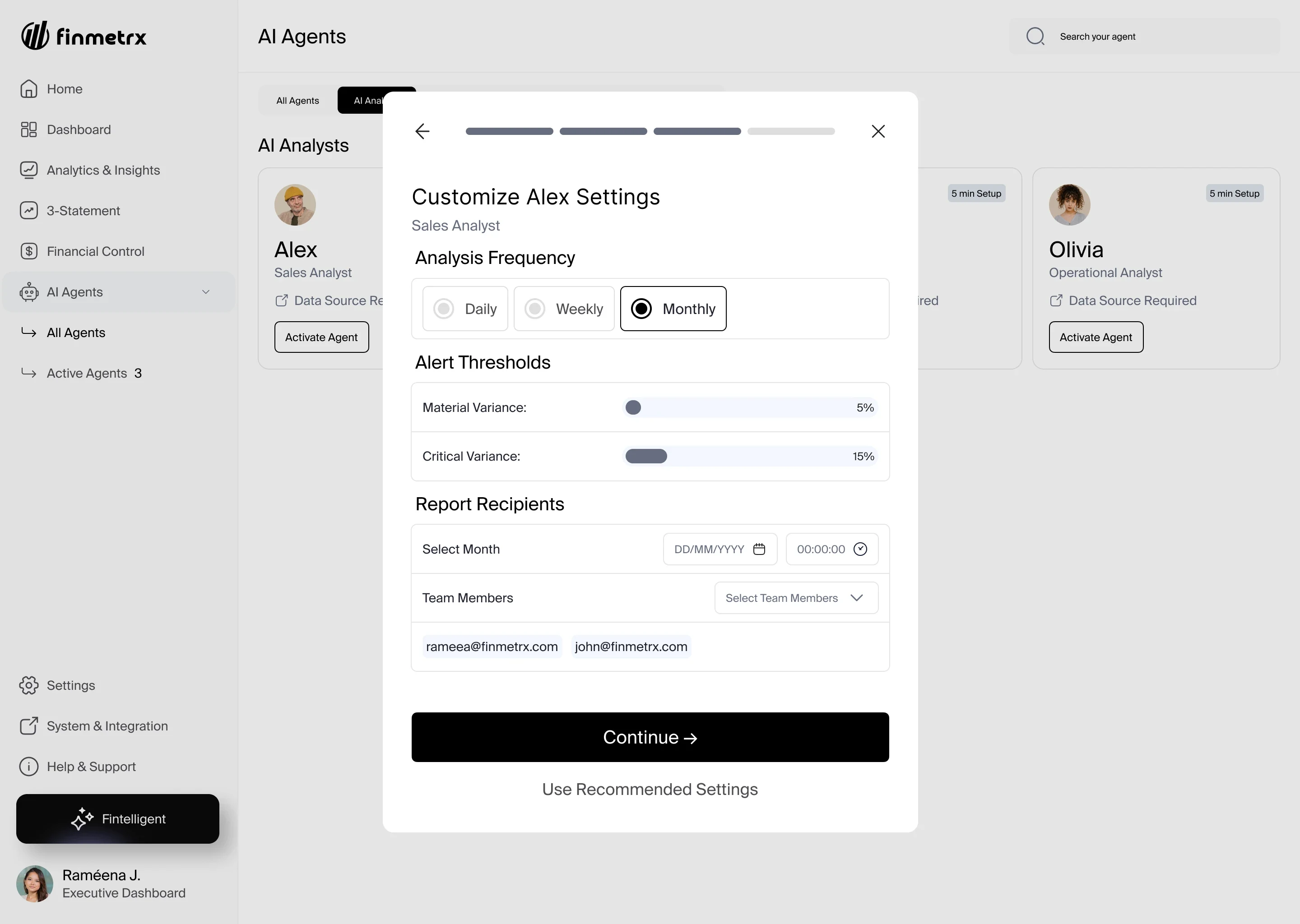
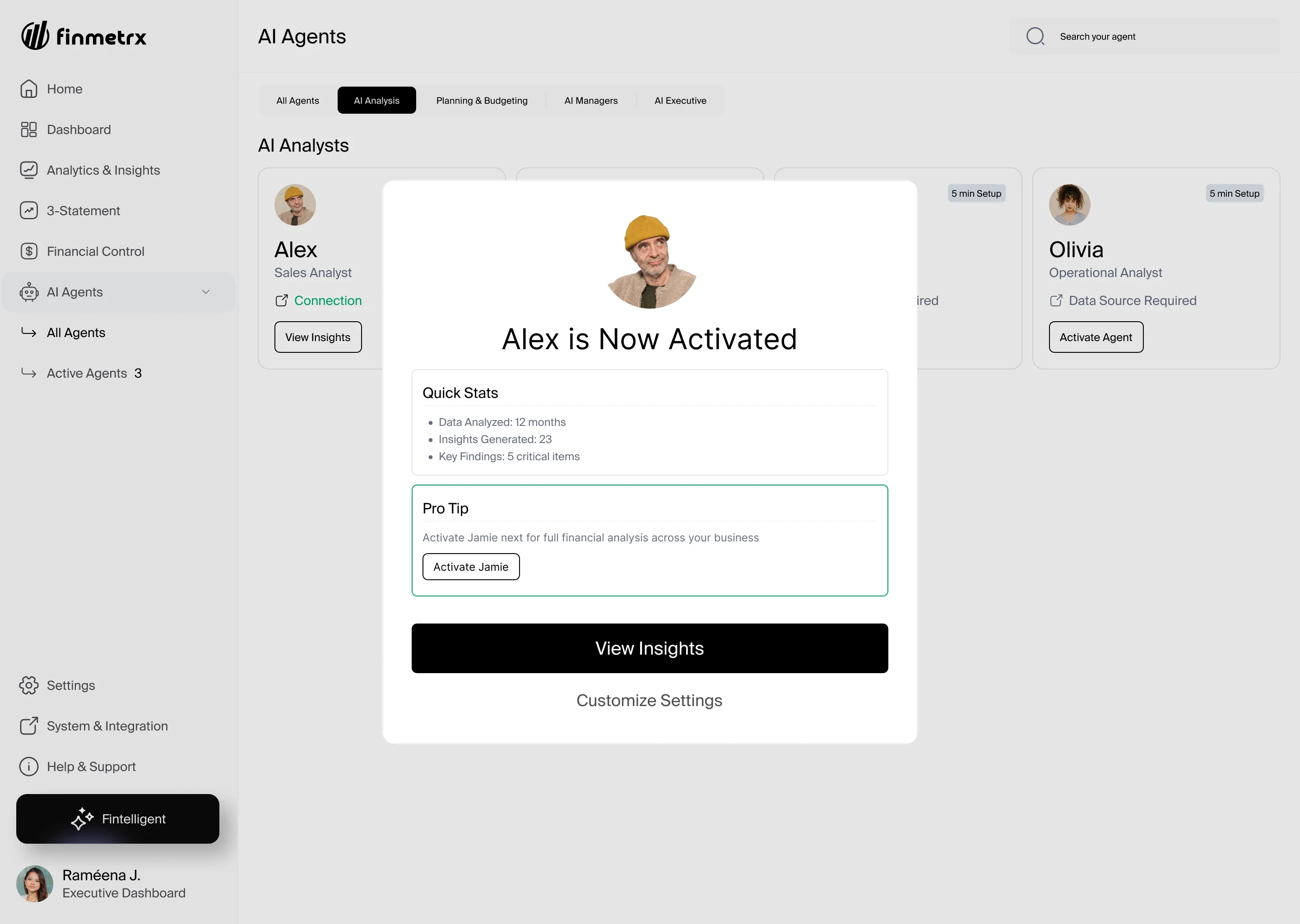
The setup summary, then the confirmation once the person approves.
Ask in one place.
Get routed.
Fintelligent answers general questions and hands specific ones to the right agent, so people never have to know which agent to ask.
- 1General questions answered here
- 2Specific ones handed to an agent
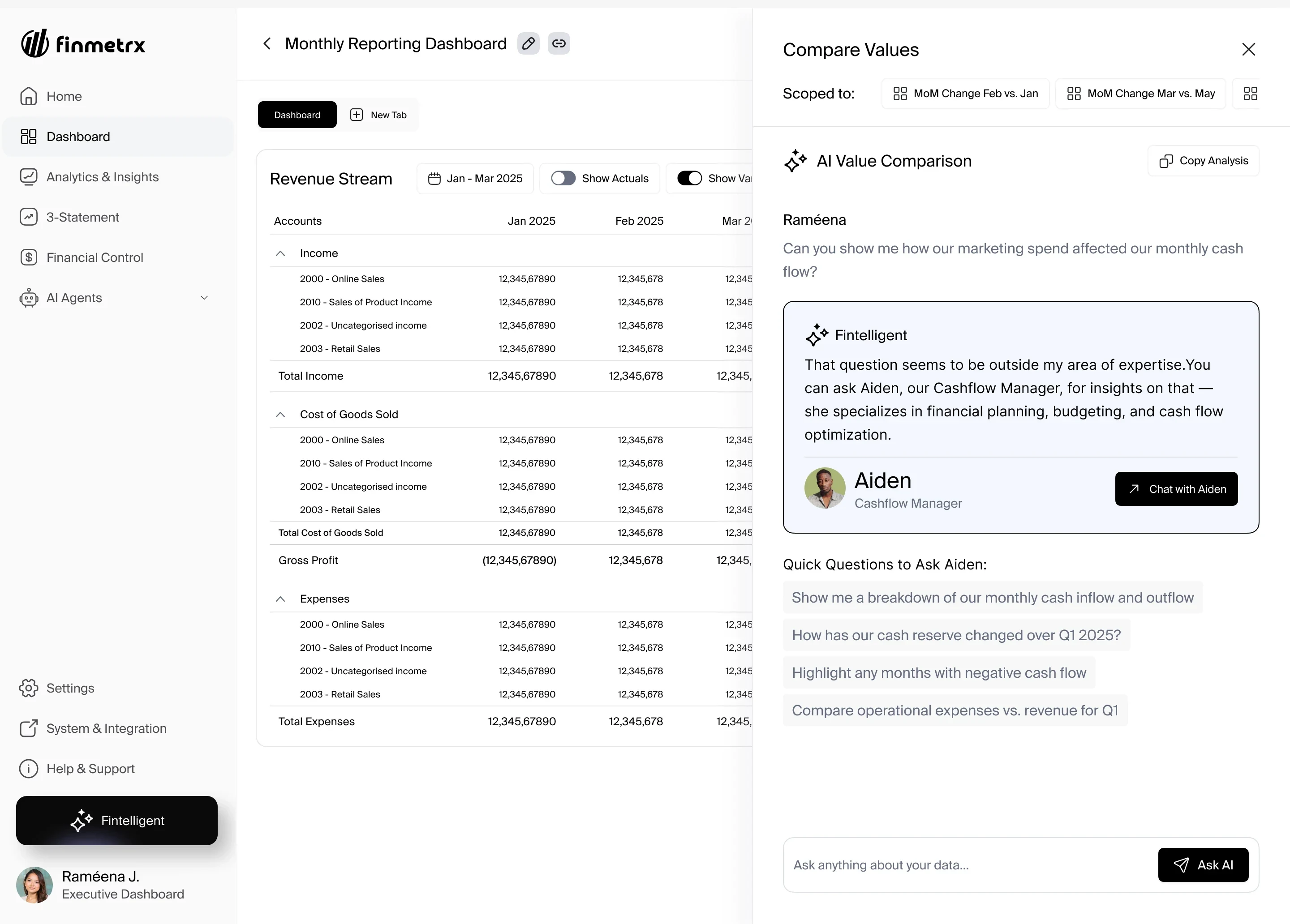
Fintelligent names the right specialist and opens a chat with that agent.
Alerts that
lead to action.
Each cashflow alert shows the signal, the severity, the financial impact and a recommended next step. The AI progress screen shows each step, not a spinner.
- 1Signal and severity
- 2Financial impact
- 3Recommended next step
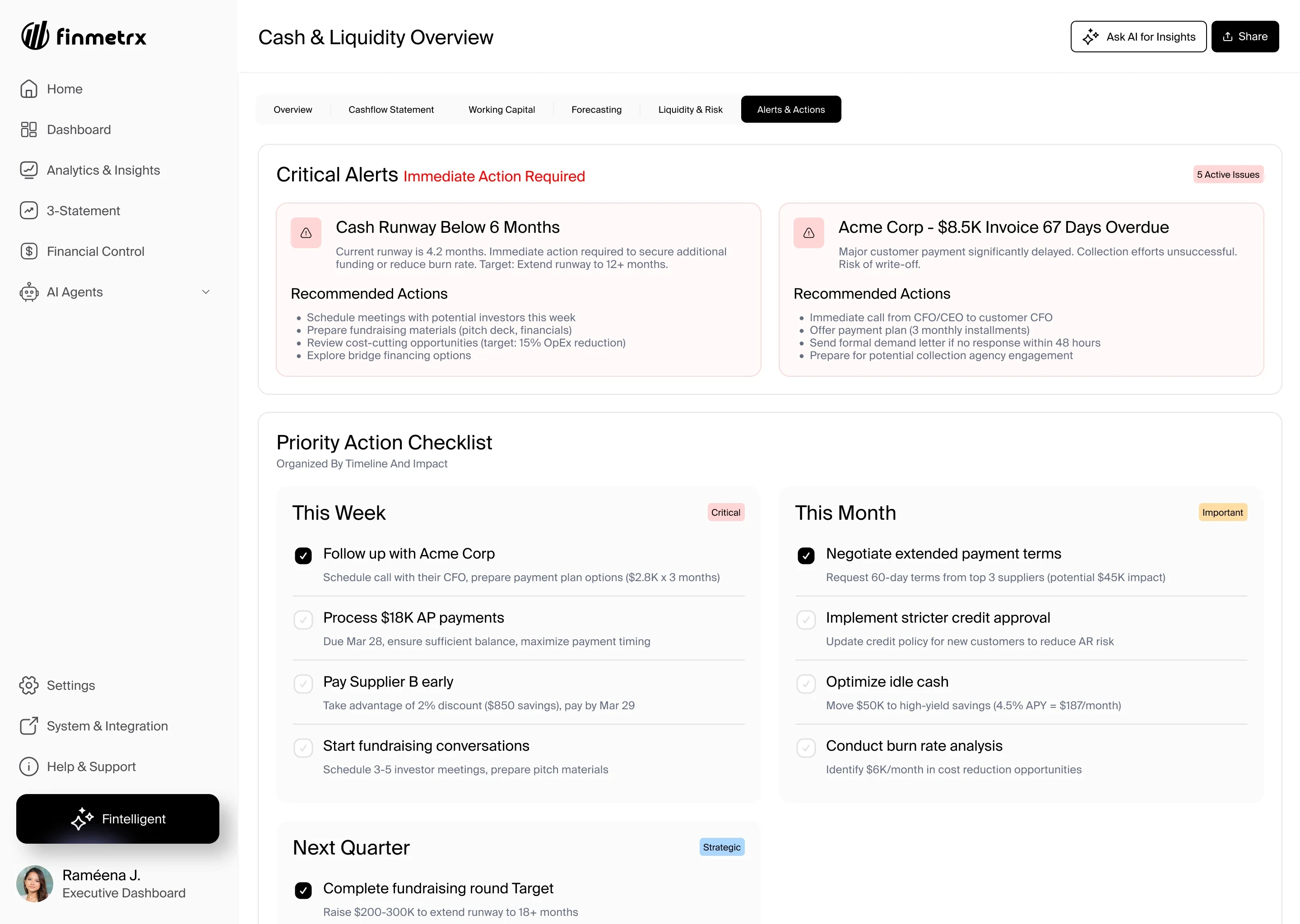
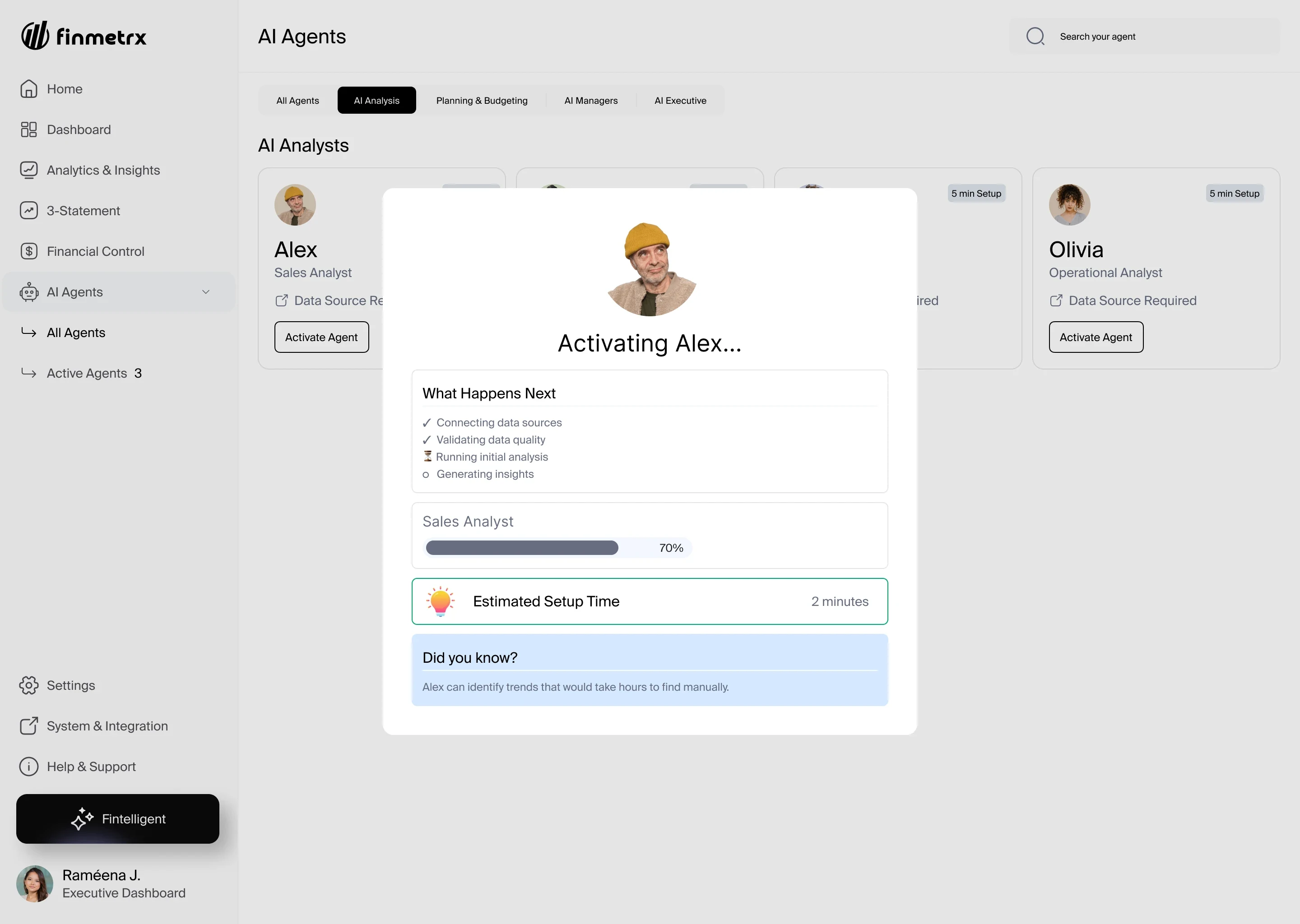
Critical alerts with recommended actions, and the step-by-step progress screen.
One system
One system under all of it.
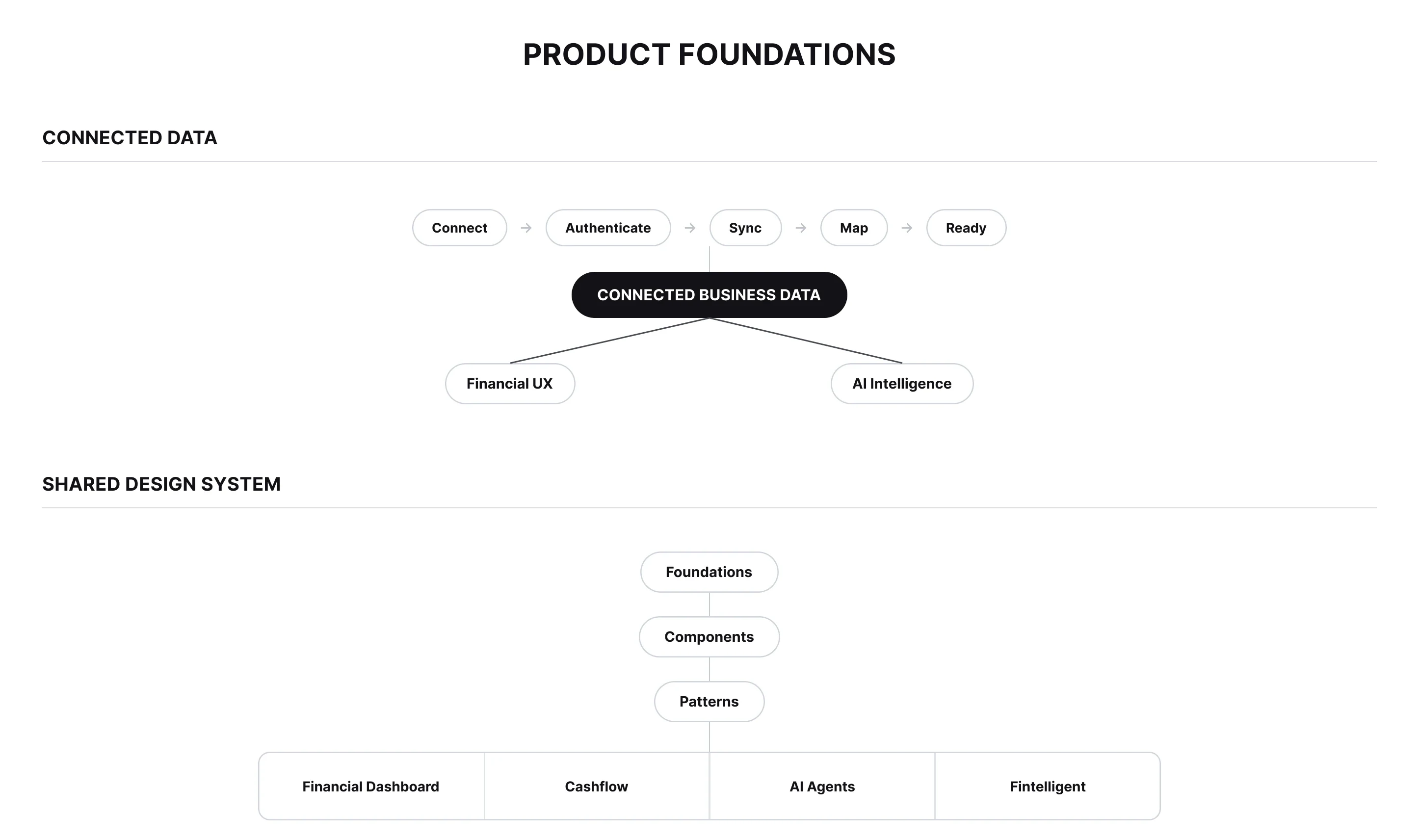
It covers dense tables, guided AI setup, dashboards, alerts and chat. It defines type, spacing, controls and states (empty, loading, error), plus authentication and settings. It works on desktop and tablet.
Outcome
Handed over, Feb 2026.
HANDED OVER
Feb 2026
Everything in the Figma file → the client’s developers
The project was fixed-scope, not a retainer. I completed the work and handed everything in the Figma file to the client’s development team in February 2026. I was not part of the build, so I can’t report how the product performs after handover. No metrics are claimed here.
- Role
- Product Designer
- Client
- Finmetrx
- Dates
- Sep 2025 to Feb 2026
- Worked with
- Atif Raza (Founder and CEO), Muhammad Junaid (COO), M. Ubaid (Developer)
- Engagement
- Project-based, freelance, completed
I love the authentication and the personalized dashboards for each user role. They make life easier for users. The system is already complex, so we need to make things as easy as we can, and we did that.
Rameena is easy to work with, her journeys are easy to follow, and she is fast with iterations.
One more thing
What I wanted to show you.
In an AI product, the screen should show what the AI knows before it says anything. In Finmetrx, each agent shows which data is connected and which is missing, so its answer never rests on a guess.
The hardest part of designing AI into a complex product isn’t the chat. It is deciding what the system needs to know, making that visible, and giving people control before any automation begins.